

Table of Contents
Keyword Research for Beginners: How to Find What Customers Type
You don’t need an expensive subscription to learn what your customers are searching for on Google. You’ll need a browser, a spreadsheet and a bit of patience. This beginner’s guide to keyword research takes you through the whole process, step-by-step, with free tools and good old common sense.
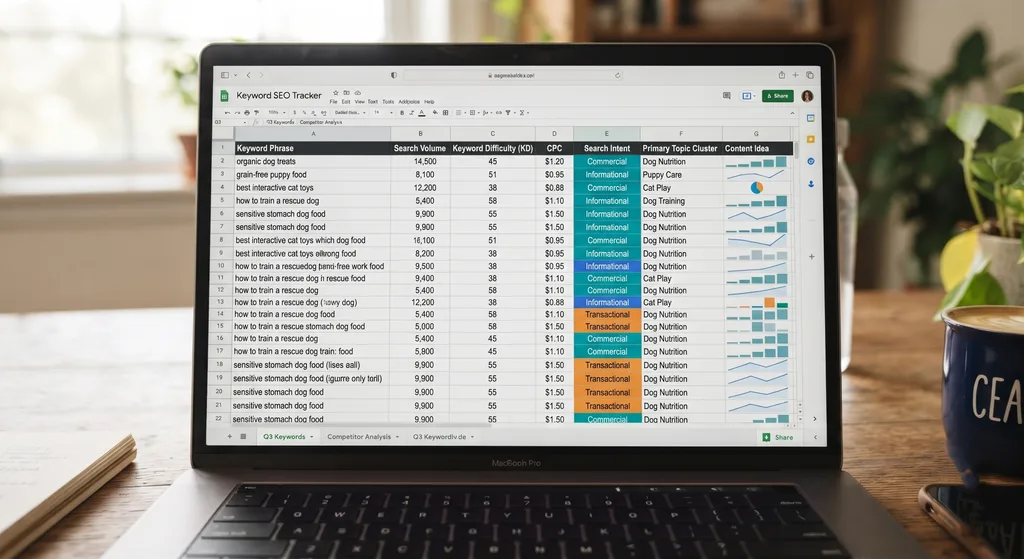
When doing keyword research for beginners, start with a few broad ideas. Expand them using what Google already shows you. Then organise those ideas into a simple sheet so you know which pages to build.
Simple. Not always easy, but simple.
I’ll be upfront: this article is a practical how-to, not a case study. I haven’t included client results or traffic numbers because none were provided, and I won’t make them up. What you’ll get is a method you can test on your own site today.
Seed Keywords vs Long Tails
Every keyword list starts with seeds. For effective keyword research for beginners, a seed keyword is a short, broad term that describes what you sell.
Long-tail keywords are the longer, more specific phrases people type when they know what they want. ” Running shoes for flat feet under 5000″ is a long tail. So is “wedding photographer in Kochi for small weddings”.
Why the difference matters
Seeds attract huge, vague audiences. Long tails attract fewer people, but those people are usually closer to a decision. If you’re new, or your site is new, long tails are where you can realistically win.
| Seed keyword | Long-tail keyword | |
|---|---|---|
| Length | 1-2 words | 3+ words |
| Example | “yoga classes” | “evening beginner yoga classes near me” |
| Competition | Usually high | Usually lower |
| Searcher’s clarity | Vague | Specific |
| Best for | Topic ideas | Pages that convert |
How to brainstorm your seeds
- List every product or service you sell in plain words.
- Write down the problems customers bring to you.
- Note the words customers use, not your industry jargon. Check old emails, reviews, and sales calls.
- Add your location if you serve a local area.
Aim for 5 to 10 seeds. That’s plenty.
Free Discovery: Autocomplete & PAA
Now the fun part of keyword research for beginners: Google will tell you what people search for, for free. You just have to look.
Google Autocomplete
Type a seed into Google and stop before you hit enter. The suggestions that drop down come from real searches. Try adding a letter after your seed (“yoga classes a”, “yoga classes b”) to surface more ideas. Add words like “for,” “near,” “vs,” and “without” as well.
People Also Ask (PAA)
Search your seed and scroll to the “People also ask” box. Each question is a ready-made content idea. Click one open, and more questions will appear below it. That’s a rabbit hole worth falling into.
Related searches and Google Trends
Scroll to the bottom of the results page for “Related searches”. Then check Google Trends to compare two phrases and see whether interest rises, falls, or follows the seasons. It’s handy for deciding which wording to use or when to publish.
A quick routine
- Pick one seed.
- Copy every autocomplete suggestion into your sheet.
- Copy every PAA question.
- Copy the related searches.
- Repeat for the next seed.
Twenty minutes of this can give you a surprisingly long list.
Decoding Intent: Info vs Buy
A keyword isn’t just words. It’s a person with a goal. Search intent is the reason behind the query, and matching it is what keeps people on your page.
The four common intent types
- Informational: the person wants to learn. “How to choose running shoes.”
- Commercial investigation: they’re comparing. “Best running shoes for flat feet.”
- Transactional: they’re ready to act. “Buy running shoes online.”
- Navigational: they want a specific site or brand.
Reading intent from the words
Certain words give it away. “How”, “what”, and “why” lean informational. “Best”, “vs”, and “review” signal comparison. “Buy,” “price,” “near me,” “hire,” and “quote” point to someone with their wallet half out.
Check the results page itself.
Here’s my favourite shortcut. Search the keyword and look at what Google ranks. Blog posts? Product pages? Local listings? If the top results are all how-to guides, a sales page probably won’t rank. Give the searcher the format Google already trusts.
High-intent terms are the ones closest to a purchase or enquiry. Info terms still matter, though. They build trust and bring in people who’ll buy later.
Organising Keywords in a Sheet
A messy list is useless. A tidy one becomes a plan. Open Google Sheets or Excel and set up these columns:
| Column | What to put in it |
|---|---|
| Keyword | The exact phrase |
| Seed group | Which seed it came from |
| Intent | Info, commercial, transactional |
| Source | Autocomplete, PAA, related searches |
| Page | Existing URL or “new page needed”? |
| Priority | High, medium, low |
| Notes | Anything odd you noticed? |
Clean it up
- Remove duplicates.
- Group near-identical phrases. “Cheap yoga mat” and “affordable yoga mat” usually belong on one page.
- Give each page one main keyword and a few close variations.
Prioritise like a human.
Mark a keyword as high priority if it signals buying intent, matches something you actually sell, and looks winnable. Anything that fails the “would this person ever become a customer?” test goes to the bottom.
If the sheet feels overwhelming, or you’d like a second pair of eyes, a freelance SEO specialist in Kerala can help you turn a raw list into a page-by-page plan.
FAQ
What is keyword research for beginners?
It’s the process of finding the words and phrases your potential customers type into search engines, then using them to plan your content. Beginners can do it with free tools like Google Autocomplete, People Also Ask, and Google Trends.
Can I do keyword research for free?
Yes. Autocomplete, People Also Ask, related searches, and Google Trends cost nothing. Paid tools add volume estimates and difficulty scores, but they aren’t required to get started.
What’s the difference between seed and long-tail keywords?
Seed keywords are short and broad, like “yoga classes.” Long-tail keywords are longer and more specific, like “beginner yoga classes near me evening”, and usually show clearer intent.
How many keywords should I target per page?
One main keyword plus a handful of close variations. If two phrases need different answers, give them separate pages.
How do I know if a keyword has buying intent?
Look for words like “buy,” “price,” “hire,” “quote,” or “near me,” and check whether Google’s top results are product or service pages rather than articles.
Wrapping Up
Keyword research for beginners comes down to four habits. Start with seeds. Expand with long tails from autocomplete and People Also Ask. Read the intent behind each phrase. Keep it all in a sheet you actually use.
Do one seed this week. Just one. You’ll learn more from that than from reading ten more guides.