
Technical SEO Checklist: 20 Fixes That Improve Rankings Fast
If you’ve built a website and just assumed Google would find it, rank it, and send you customers — you’re not alone. I see this almost every week here in Pathanamthitta. A business owner spends money on a beautiful website, launches it, and then waits. And waits. Nothing happens. That’s usually because nobody told them about indexing, crawl errors, or the basics of a technical SEO checklist that actually gets a site seen.
This isn’t theory pulled from a textbook. It’s what I run into with real local clients, on real websites, week after week. Below is the technical SEO checklist I actually use — a practical technical SEO checklist for site owners. This comprehensive technical SEO checklist covers the fixes that move the needle fastest, and using an updated technical SEO checklist ensures your site stays optimized.
Table of Contents
Why Technical SEO Gets Ignored (And Why That’s Costly)
Here’s a pattern I run into constantly: someone builds a website, it looks great, and they think that’s the finish line. They don’t know about indexing. They’ve never opened Google PageSpeed Insights. They genuinely believe the website will “automatically rank” just because it exists online.
It doesn’t work that way. A website is like a shop built in the middle of a forest with no road leading to it. Search engines need to find it, crawl it, understand it, and trust it before they’ll ever show it to anyone searching. That’s what technical SEO does — it builds and maintains the road.
The Fastest-Moving Fix: Page Speed and Smoothness
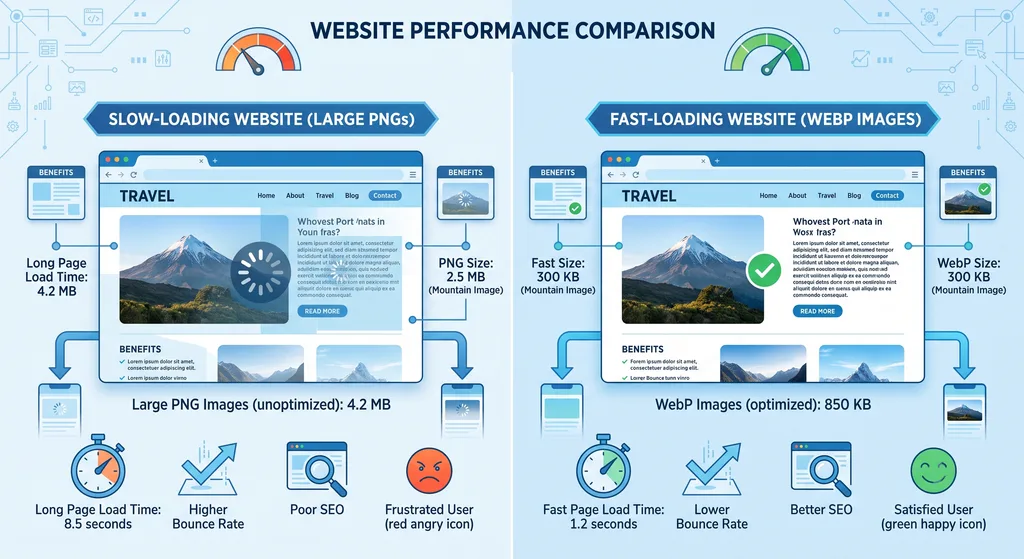
If I had to pick one fix that surprised me with how quickly it moved rankings, it’s this: how fast a page loads and how smoothly the website runs. Not a small tweak, not a meta tag change — actual loading speed and site smoothness.
This matters because search engines want to send people to pages that don’t frustrate them. A slow, clunky site tells Google (and your visitors) that something’s off. Fix that, and you often see movement faster than you’d expect from other SEO changes.
The most common mistake I see with site speed: people use regular PNG or JPG images instead of WebP format, and they load up their pages with too many videos. Both of these things drag load times up fast. Switch your images to WebP and be selective about video use — it’s one of the simplest, highest-impact changes on this entire technical SEO checklist.
Crawl Errors: The Silent Traffic Killer
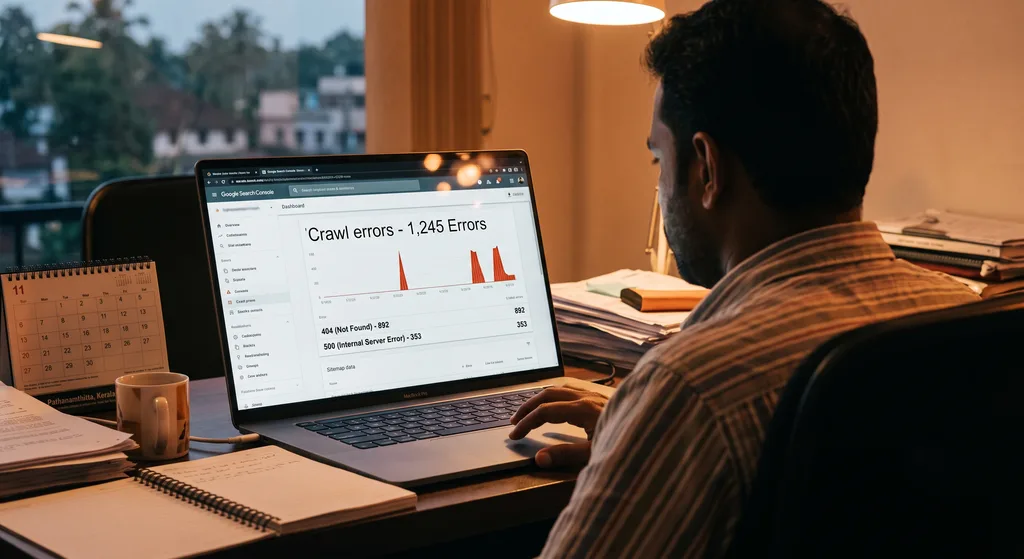
I’ve worked with clients whose traffic was being quietly strangled by crawl errors, and they had no idea. The real problem usually isn’t even the errors themselves — it’s that the business owner never checked whether Google could index their site in the first place.
Most people don’t know these two things exist:
- Indexing — whether search engines have actually added your pages to their results
- Google PageSpeed Insights — a free tool that shows exactly what’s slowing your site down
If nobody’s checking either of these, crawl errors pile up unnoticed and traffic quietly dries up. The fix always starts the same way: get into Google Search Console, see what’s actually happening, and stop guessing.
XML Sitemap Best Practices: What to Check First
When a client’s sitemap is a mess, I don’t guess where to start — I go straight to four things. This is the core of any solid xml sitemap best practices approach:
- Redirected pages (3xx): Every URL in your sitemap must point directly to its final destination. No redirect chains allowed.
- Broken pages (4xx / 5xx): Dead links waste your crawl budget and tell search engines your site isn’t well maintained.
- Blocked pages (robots.txt): If your robots.txt file blocks a page from bots, that page has no business being in your sitemap.
- Non-canonical pages: If a page has a rel=”canonical” tag pointing elsewhere, only the canonical version belongs in the sitemap — not duplicates.
Why does this matter first, before anything else? Because search engines treat your sitemap as a trust blueprint. If bots keep hitting pages in your sitemap that turn out to be broken, redirected, or blocked, they stop trusting the sitemap altogether. And once that trust is gone, they crawl your site less efficiently — which means new pages and updates take longer to get noticed.
Before fixing a messy sitemap, I always ask a client three things:
- How many URLs are roughly in the sitemap right now?
- What CMS are you using — WordPress, Shopify, custom code?
- What specific errors is Google Search Console showing?
The answers determine the exact tools and steps needed. There’s no one-size-fits-all fix here; the platform changes the playbook.
The 20-Point Technical SEO Checklist
Here’s the full checklist, grouped by the areas that matter most based on what actually moves rankings in real client work.
Indexing & Crawlability
- Confirm your site is actually indexed by Google
- Set up and verify Google Search Console
- Check crawl error reports weekly, not once a year
- Review robots.txt to make sure you’re not blocking important pages
- Make sure blocked pages never appear in your sitemap
Site Speed & Performance 6. Run your site through Google PageSpeed Insights 7. Convert PNG/JPG images to WebP format 8. Limit the number of autoplay or embedded videos 9. Check overall page smoothness, not just load time 10. Compress and resize oversized images
XML Sitemap Health 11. Remove 3xx redirected URLs from your sitemap 12. Remove 4xx/5xx broken pages from your sitemap 13. Ensure only canonical URLs are listed 14. Resubmit your updated sitemap in Search Console 15. Recheck sitemap health after any major site update
Structure & Trust Signals 16. Fix broken internal links draining crawl budget 17. Confirm HTTPS is active sitewide 18. Check for duplicate content issues via canonical tags 19. Make sure your CMS platform isn’t generating messy auto-URLs 20. Recheck indexing status after every fix, don’t assume it worked
Quick Reference: Common Technical SEO Issues and Fixes
| Issue | What Causes It | Quick Fix |
|---|---|---|
| Slow page load | Large PNG/JPG images, too many videos | Convert to WebP, limit video embeds |
| Site not indexed | Owner unaware of indexing, never checked Search Console | Set up Search Console, submit sitemap |
| Sitemap full of errors | Redirects, broken links, blocked pages listed | Audit and remove 3xx/4xx/5xx/blocked URLs |
| Duplicate content confusion | Missing or incorrect canonical tags | Ensure only canonical URL is in sitemap |
| Wasted crawl budget | Dead links, redirect chains | Clean up internal linking, fix broken pages |
How to Get Started
You don’t need to tackle all 20 points in one sitting. Start where the interview above starts: check if your site is even indexed, run it through Google PageSpeed Insights, and look at your sitemap for the four red flags — redirects, broken pages, blocked pages, and non-canonical URLs. From there, work through the checklist section by section.
If this feels like a lot to manage alongside running a business, that’s exactly the gap a local technical SEO checklist service is meant to fill — someone checking Search Console regularly so you don’t find out about problems six months too late.
FAQ: Technical SEO Checklist
What’s the fastest technical SEO fix for rankings? Page loading speed and overall site smoothness. It’s the fix that consistently shows movement quickest, more than most other technical changes.
Why isn’t my website showing up on Google at all? Most likely it was never indexed. This happens when a site owner doesn’t know indexing exists or never sets up Google Search Console to check.
What’s the most common site speed optimization mistake? Using regular PNG or JPG images instead of WebP, plus loading too many videos onto a page. Both slow load times significantly.
What should I check first in a messy XML sitemap? Four things: redirected (3xx) pages, broken (4xx/5xx) pages, robots.txt-blocked pages, and non-canonical pages. Any of these confuses search engines and damages sitemap trust.
How often should I check for crawl errors? Regularly — not once and forget it. Search Console should be part of an ongoing routine, not a one-time setup.
Does my CMS affect how I fix sitemap errors? Yes. Whether you’re on WordPress, Shopify, or custom code changes exactly which tools and steps apply, so it’s worth confirming your platform before diagnosing errors.
Final Thoughts
A technical seo checklist isn’t about chasing every algorithm rumor — it’s about making sure Google can actually find, crawl, and trust your site in the first place. Fix your page speed, clean up your sitemap, and stop assuming indexing happens on its own. Those three moves alone fix most of what quietly holds local websites back.
If you’re not sure where your own site stands, that’s usually the first conversation worth having — before spending another rupee on content or ads that nobody will ever see. Local SEO Services Pathanamthitta